
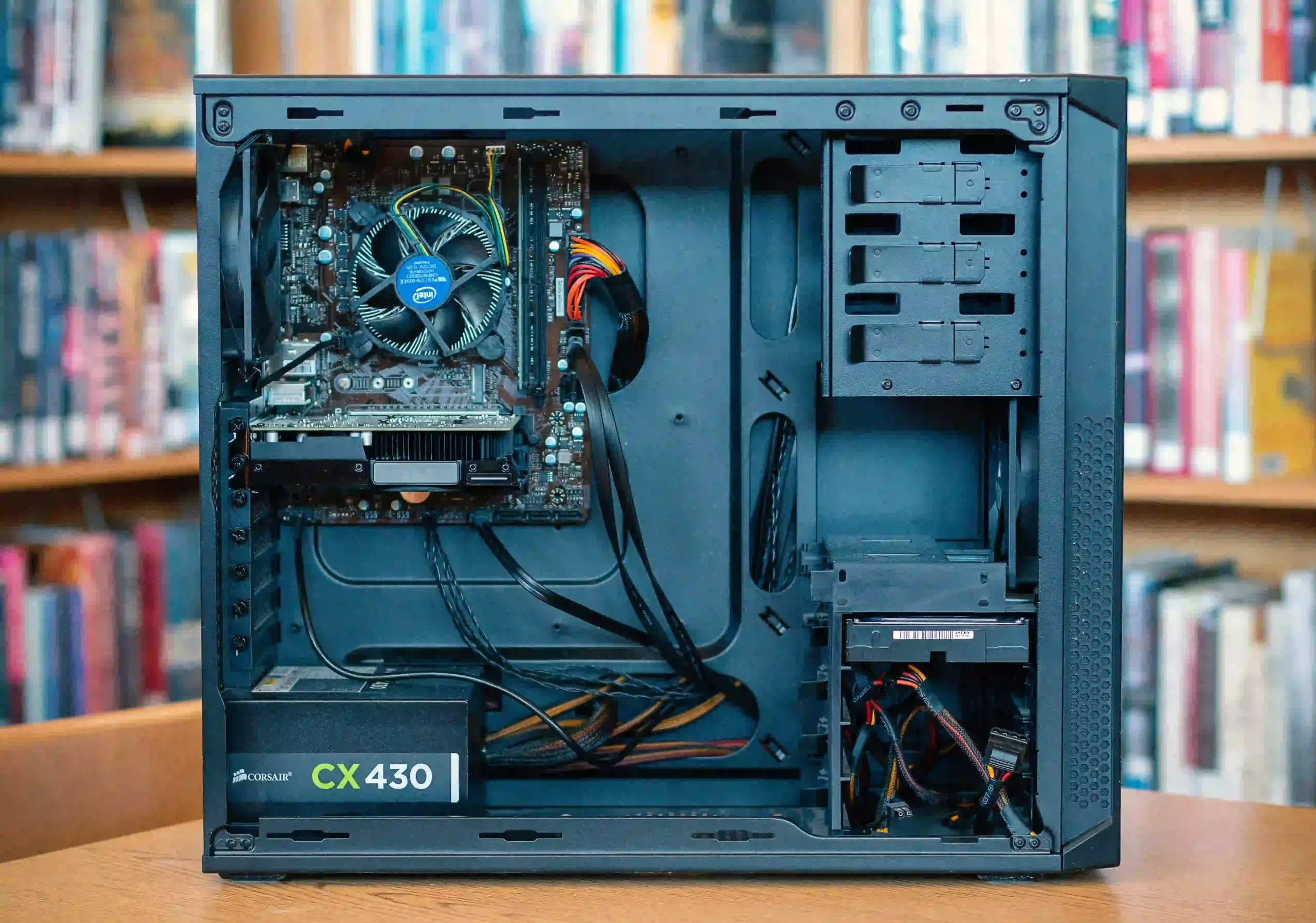
Your computer’s power supply unit is known as a PSU. A typical PSU can produce 350W to more than 1000W. We will automatically verify that the power supply you have chosen will be adequate for the configured components while configuring your computer, and we will notify you if there are any issues.
As a general rule, the components at the side use:
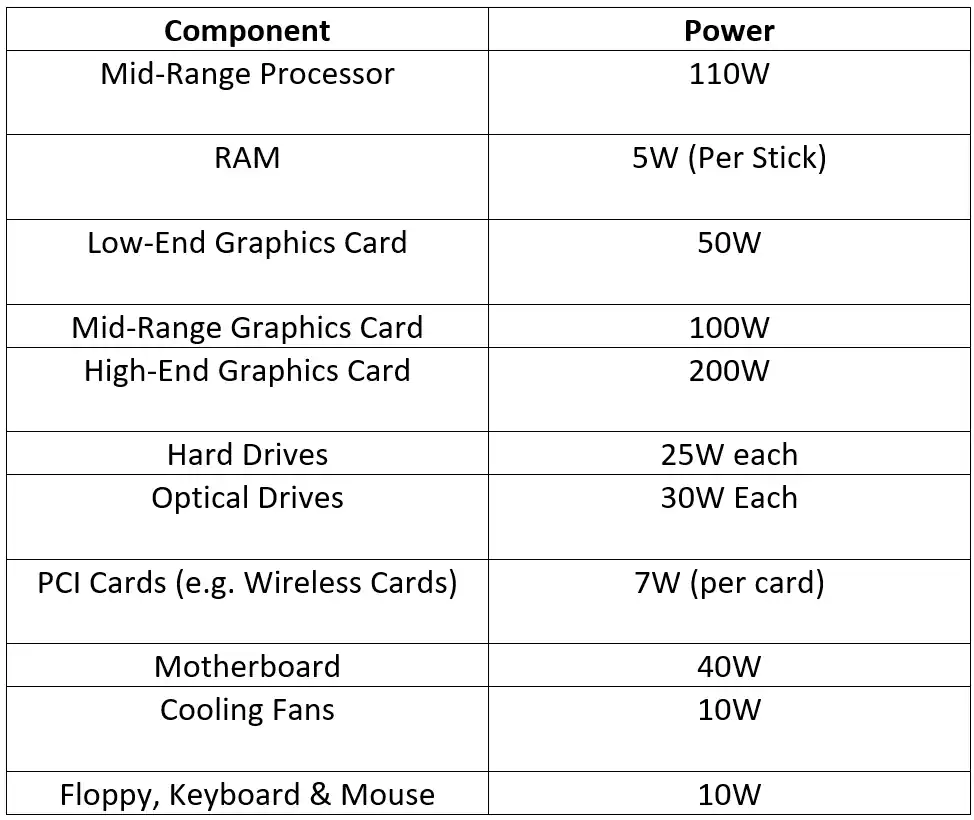
You can tell that a desktop computer needs a power supply that is at least 350W, but if you’re willing to spend a little more, you can obtain a power supply that is more powerful and has modular wiring or an ultra-quiet cooling system.
A Common Question…
- I believe I need a really strong power supply, and I have seen models with 600W or more for between £20 and £30 in the stores.
Why is the cost of your power supplies higher?
- Rating a power supply’s wattage is not subject to any fixed regulations, and it’s only normal for people to believe that more power is better. The power supplies we sell have rated wattages that reflect the actual, steady power output, not the peak output. (A power supply’s peak output is the maximum amount of power it is capable of producing.) Without mentioning any specific manufacturers, you can get what seems to be 600W or even 700W power supplies on the high street for under £20, but beware—these are probably power supplies that have been rated based on their peak output rather than their continuous output. Some power sources even fail to deliver their declared peak output.
You could expect to pay anywhere from £50 and above for a power supply with a genuine constant output and a power rating of 600W or higher utilising dependable components.
Even though they might only be 400W or 500W, our high-end power supplies have been tried and tested to provide your computer with a steady source of high-quality power.
To account for PSU manufacturers that have labelled power supplies as peak output and not continuous output, component makers, like graphics card manufacturers, frequently overstate the power supply requirements of their cards.